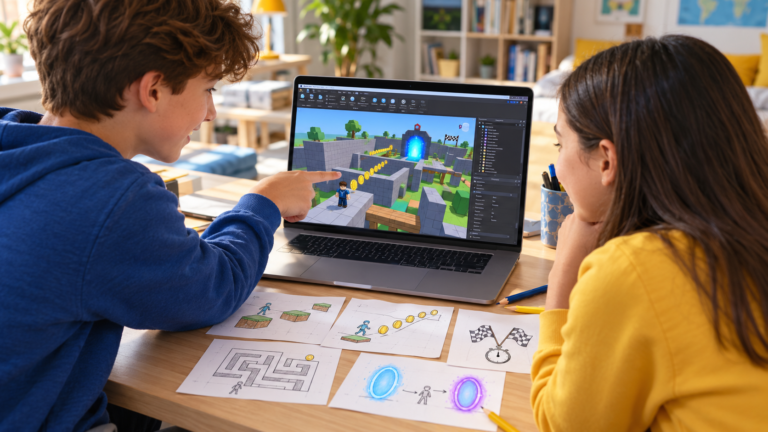
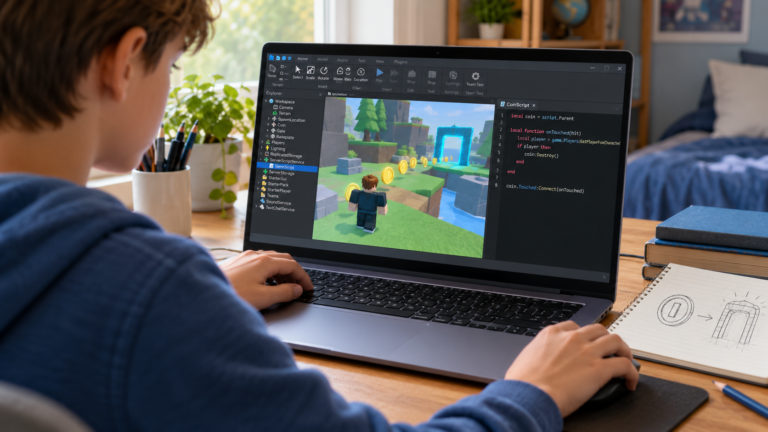
Your child can place parts, build a house or design an obstacle course in Roblox Studio. Then they try to add a checkpoint, a score counter or an interactive door, and progress stops. They may copy a script that works once but struggle to change it.
This is a useful moment to focus on a smaller learning goal. Building a scene and programming its behaviour involve different skills. A Roblox scripting tutor for kids can help bridge that gap, but supported practice and well-chosen free resources can also be valuable. Here is how to choose a sensible next step.
Illustration of guided game creation, rather than a screenshot of an actual lesson.
Building and scripting solve different problems
Building is about the objects and spaces in the game: where a platform sits, how wide a doorway is or what a room looks like. Scripting describes what should happen when someone interacts with those objects.
For example, placing a door is a building task. Making it open only after the player has collected enough points is a programming task. The learner needs to describe the rule, choose the information to track and decide when to check it.
Roblox uses Luau for scripting. Its official coding fundamentals series introduces variables, functions, events, conditions and loops. It recommends basic Studio knowledge before starting. Our Lua and Luau guide for parents explains the terminology.
Three signs that a smaller scripting goal would help
They can follow a tutorial but cannot adapt it
Ask what should happen if one value changes. If your child cannot predict the result, repeating a shorter example may teach more than adding another long script.
They add several features before testing
A coin system, a shop and a timer can create several problems at once. Keep one working version and add one behaviour at a time, checking the result after each change.
Every error feels like starting again
The next goal may be a debugging habit: describe the expected result, reproduce the problem, read the message in Studio’s Output window and inspect one relevant part of the script. The aim is to make an error easier to investigate.
Choose one mechanic before planning a full game
A good starting task is small enough for the learner to explain in plain English. These examples can become stepping stones rather than promises to finish a whole game in one lesson.
- A part changes colour: connect an interaction to one visible result.
- A collectible changes a counter: introduce stored information and a change to its value.
- A door checks a score: use a condition to decide whether an action is allowed.
- A platform repeats a movement: explore a repeated sequence after the basic behaviour is understood.
For each task, ask: “What starts the action? What information does the game need? What should I see when it works?” These questions make the code serve a clear purpose.
For more starting ideas, see our five beginner Roblox game projects. If building tools are still unfamiliar, the beginner obby tutorial offers a simpler building and testing activity.
A focused next step can fit a familiar interest: a Blox Fruits-inspired quest with a progress counter, a Brookhaven-inspired town with a house interaction or a 99 Nights-inspired survival project with a timed game loop. Choose one mechanic the learner can build, explain and test before expanding the project.
What should a Roblox scripting tutor actually do?
A useful tutor helps the learner think through their own project. They can demonstrate a small example, ask the child to predict a change, then let them make and test that change themselves.
Look for explanations connected to the game: what a variable represents, which event starts the action and why a condition is needed. The learner should gradually be able to explain the rule without reading the script aloud.
- Does the tutor first check what your child can already build and understand?
- Can the lesson focus on one achievable mechanic?
- Does your child get time to type, test and ask questions?
- Can they explain a change at the end of the activity?
A finished-looking game is not the only sign of progress. Finding a mistake, explaining why a condition failed or improving a small mechanic can show useful learning.
When independent practice is a reasonable first choice
If your child enjoys experimenting and can work through a short explanation, begin with one official example and one small variation. Ask them to keep a note of what they expected and what happened.
Individual help becomes more useful when they repeatedly hit the same obstacle, cannot connect a tutorial to their own project or want feedback on their reasoning. The choice should follow their needs rather than the complexity of the game they hope to build.
How CodEnfant approaches this stage
Our individual online Roblox Studio lessons combine building and progressive Luau scripting. The starting point is adapted to the learner’s experience, including children who have already explored Studio.
A sensible first discussion covers what they can do alone, what they want their game to do and where they become stuck. A small mechanic gives the instructor a clearer view of their understanding than a list of completed tutorials.
Questions parents often ask
Does my child need to learn Scratch first?
Scratch experience can help with ideas such as variables and conditions, but it is not the only route. Computer confidence, motivation and the ability to follow short explanations also matter.
Can lessons use a game my child has already started?
An existing project can provide a useful starting point. Discuss its size and the desired feature first so the instructor can suggest a realistic learning task.
Will the tutor finish the game for my child?
The learning goal should be for your child to understand and improve their work. Agree on the scope of the activity rather than expecting an instructor to deliver a complete game on their behalf.
What should we prepare for an online lesson?
Have Roblox Studio ready on a suitable Windows or Mac computer, a working microphone and a stable internet connection. Share your child’s experience and questions when requesting a lesson.
Find the right next step with CodEnfant
Tell us your child’s experience, what they would like to create and your time zone. We will contact you to arrange a suitable first lesson.
Which learning path fits your child?
Age, experience and interests help us choose a suitable starting point.
Compare programs →