Learning Python becomes more concrete when a beginner can build something, test it and change its behaviour. The first project should be small enough that the learner can explain each step.
These five Python projects for beginners introduce input, conditions, loops and collections through practical challenges. They are intended for learners who have started exploring basic Python syntax. If typing code still feels unfamiliar, begin with short examples and build one feature at a time.
1. Build a personalised greeting
Start here: ask for the learner’s name and favourite activity, then display a message using both answers. Keep the first version in the terminal.
Learning goal: understand input, variables and output. Ask the learner to identify where each answer is stored and what happens if they enter a different name.
Next challenge: handle an empty name with a friendly message. Test both a normal answer and an empty answer before adding more questions.
2. Create a multiple-choice quiz
Start here: display one question with three numbered answers. Read the chosen number and tell the player whether the answer is correct.
Learning goal: use conditions to choose between different outcomes. Treat the answer as text initially, so the learner can focus on the decision rather than number conversion.
Next challenge: add a score and three questions. Decide what should happen when the player enters an answer outside the available choices. Later, store questions and answers in a collection instead of repeating the same structure.
3. Program a number-guessing game
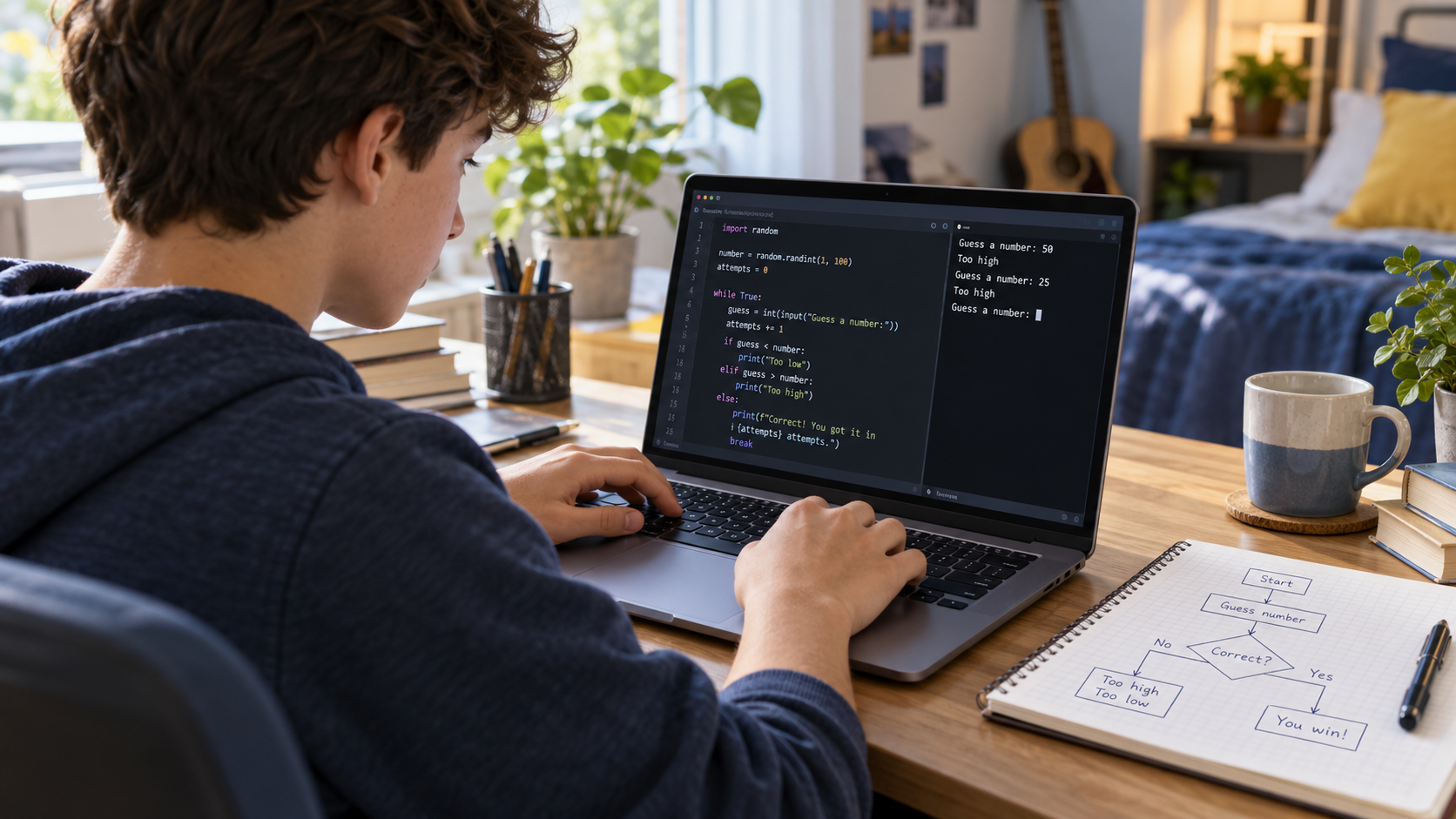
Start here: choose a fixed secret number and let the player make one guess. Display whether the guess is too high, too low or correct.
Learning goal: compare numbers and understand why keyboard input needs conversion before numeric comparisons. Explain that unexpected text needs handling rather than assuming every input is a number.
Next challenge: use a loop for several attempts and stop when the player finds the number. Once that version works, choose the secret number randomly within a clearly stated range.
4. Make a simple expense tracker
Start here: work with fictional expenses such as stationery or craft materials. Store several amounts, calculate the total and display the result.
Learning goal: practise lists, loops and arithmetic with data that has a clear meaning. Ask the learner to calculate a small example on paper and compare it with the program.
Next challenge: let the user add an expense and reject negative amounts. Introduce categories only after the basic total is correct. This is a learning exercise, so invented amounts are enough.
5. Build a text adventure
Start here: describe a scene and offer two choices. Each choice leads to a different message or ending. Plan the branches on paper before coding.
Learning goal: translate rules into conditions and keep track of the player’s decisions. Test each branch instead of only playing the favourite route.
Next challenge: add an inventory or move repeated sections into functions. Keep the world small: two rooms with clear rules teach more than a large unfinished story.
How to choose the right first project
Choose by current skills and interests. A learner comfortable with variables can begin with greetings or a one-question quiz. Someone who has practised conditions and loops can move towards guessing games. Functions and collections make it easier to extend the adventure or tracker.
If you are choosing between tools, read our guide to Scratch, Roblox Studio and Python. Our age-by-age coding guide provides further orientation, but experience and confidence also matter.
Check understanding before adding features
Ask the learner to predict an output, explain a condition and change one rule. Then test an ordinary input, a boundary case and an unexpected input. When something fails, read the error together and reduce the problem to the smallest example.
Avoid making the project bigger simply because the first version runs. Understanding and improving a small program is useful progress. Save a working version before experimenting with the next feature.
Learn Python through guided projects
CodEnfant’s individual online Python classes for teens use progressive projects to practise programming logic and independent problem-solving. The starting point depends on the learner’s experience.
Explore our coding and robotics programs, or contact CodEnfant with your child’s age, interests and previous coding experience.
Which learning path fits your child?
Age, experience and interests help us choose a suitable starting point.
Compare programs →